Synthesise your research, map the journey,
diagram the process and prototype, in one place.
Link them, then present every screen with the research behind it.
An animation on one canvas. It opens on the call to action “Synthesise your research, map the journey, diagram the process and prototype, in one place. Link them, then present every screen with the research behind it.”, with a Create free account link. Those phrases become a row of five steps along the top, and each step is ticked off as its stage is done. AI and you highlight quotes in four interview transcripts; the quotes lift out as cards into two themes, and you rename one theme Setup friction. From that theme and the insight, AI drafts a journey map, and you drag its Connect bank point lower; a thread runs from P05’s quote down to that point. The journey’s steps drop into a process diagram. Its Connect bank step grows into a screen, linked to the quotes it answers, and you add a Save for later button. You present the screen with its research above and its process below, with the rest of the canvas faded back, then return to Create free account and the five steps light up in turn.
All in one place, every layer linked. Free to use, no card.Free to use, no card.
The research canvas for product teams.
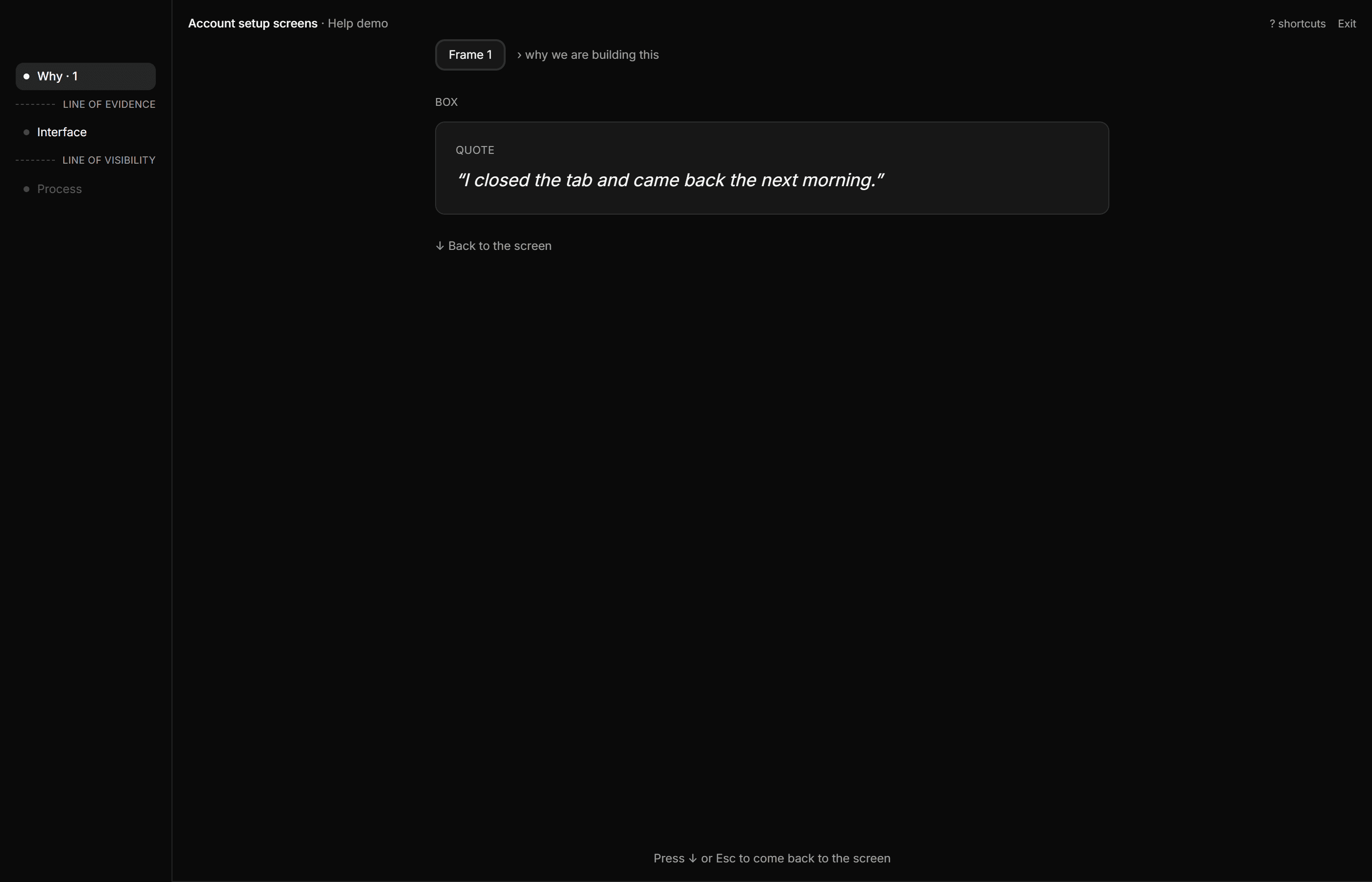
Show a screen and the reason it is built that way, in one place: the quotes that justify it above, the process it carries out below.
Free to use, no card.
The why is one click from the screen.
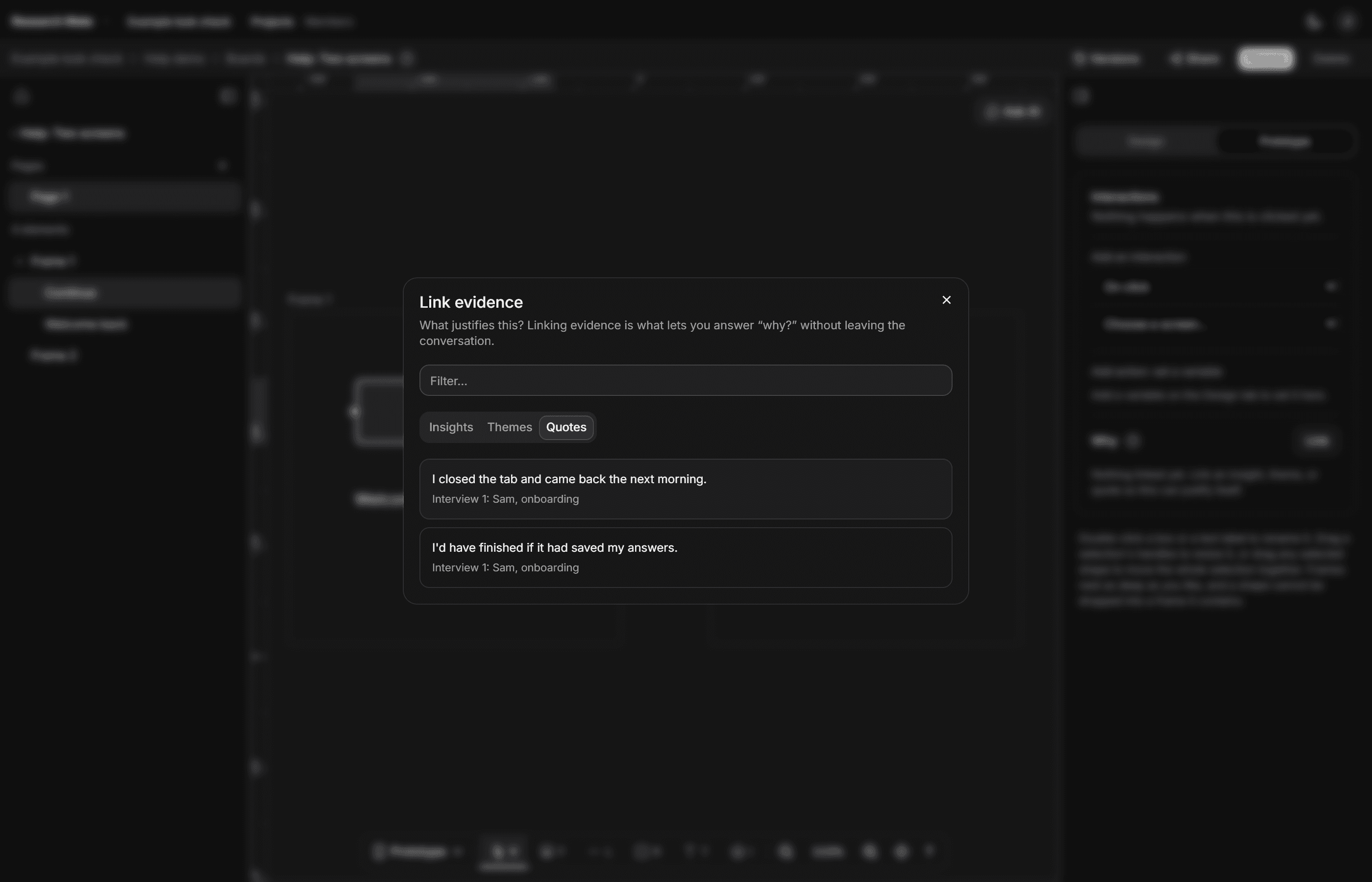
Quotes and themes link to the parts of a screen they justify. The screen links down to the process step it carries out.
↑↓move between the layers
In Present, ↑ shows why and ↓ shows how. A share link gives anyone the same three layers.
Example: onboarding interviews
Why
People leave setup when their progress is lost or a step is not explained.
Setup friction · 4 quotes
“I didn’t know how many steps were left.”
“I’d have finished if it had saved my answers.”
InterfaceScreen: Connect your bank
Connect your bank
We read your balance to suggest a first goal. We never see your password.
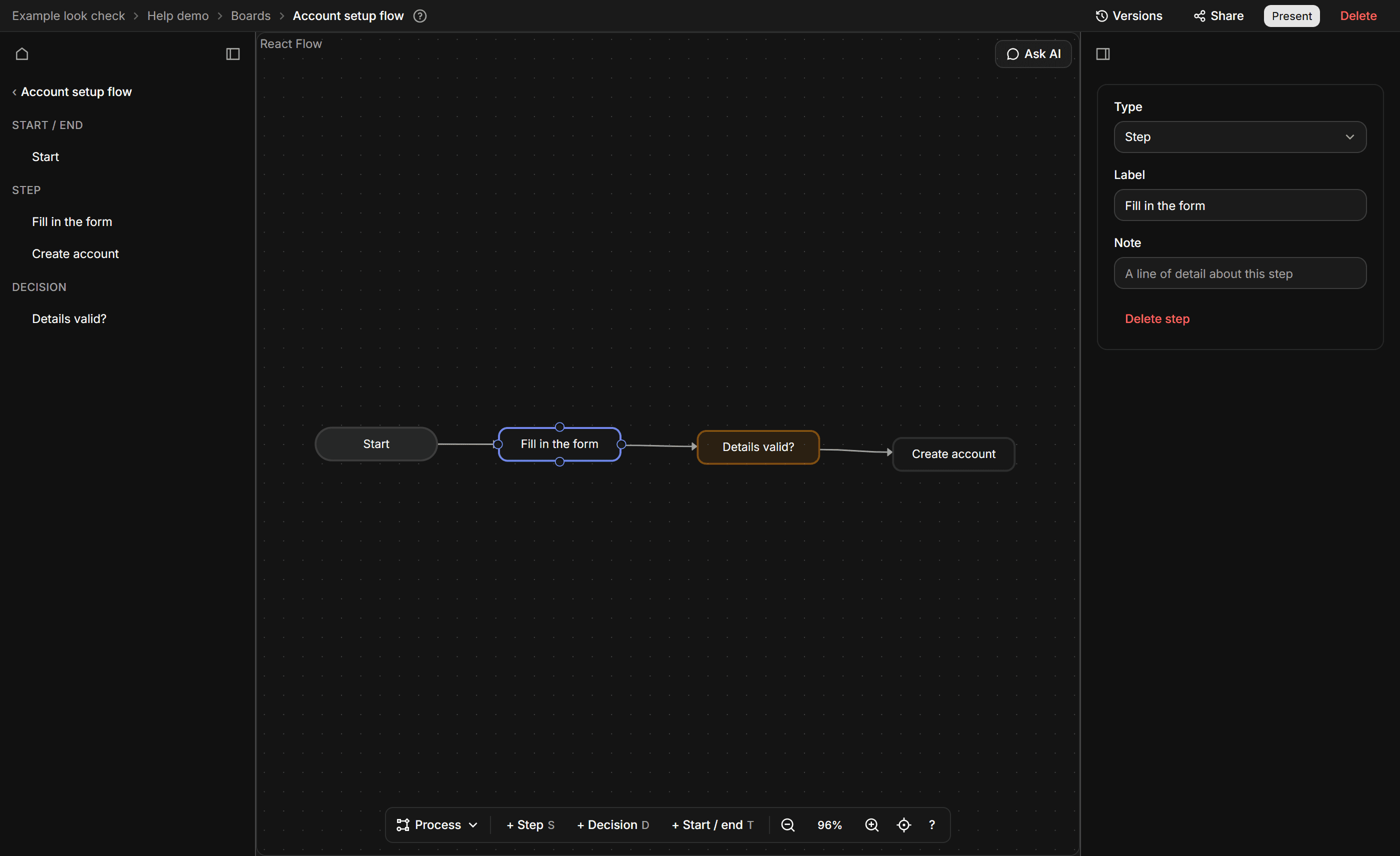
ProcessProcess diagram: Account setup
- Create account
- Connect bank (this screen carries it out)
- Set a goal
- See dashboard
From loose quotes to a theme you can defend.
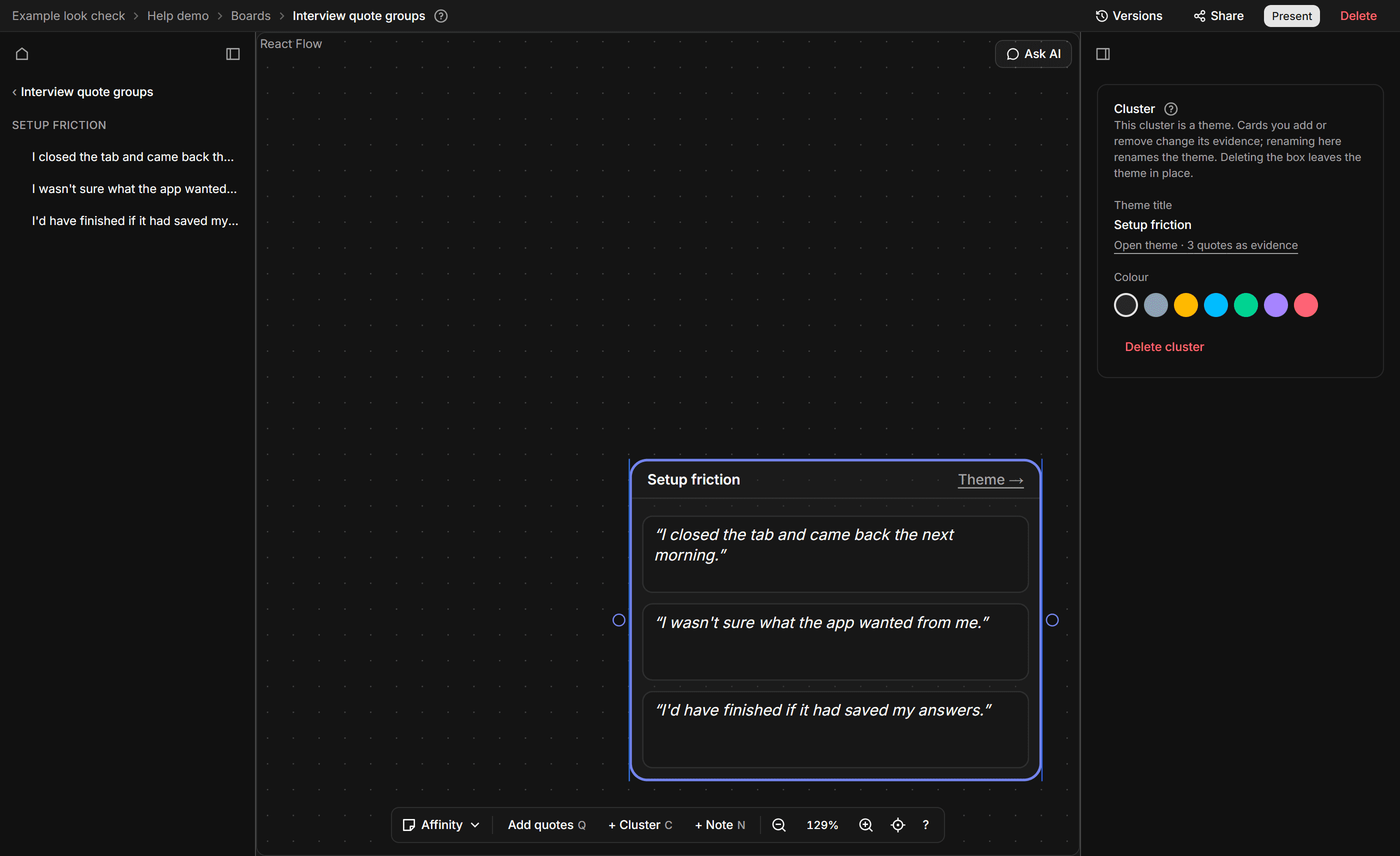
An example affinity board from a made-up onboarding study: seven quotes sorted into two piles, an AI summary of the first pile, and a collaborator’s cursor.
Everything starts from what people said.
Let AI draft, you decide
AI suggests quotes, themes and insights. Each one lands as an ordinary row you can edit or delete.
Work on it together
See live cursors and let several people sort the same board at the same time.
Share a link, no account needed
Anyone with the link can step through the presentation. Speakers show as P01, P02, though names inside a quote's own words are not removed, and the board stays as it was when you made the link.
How it works
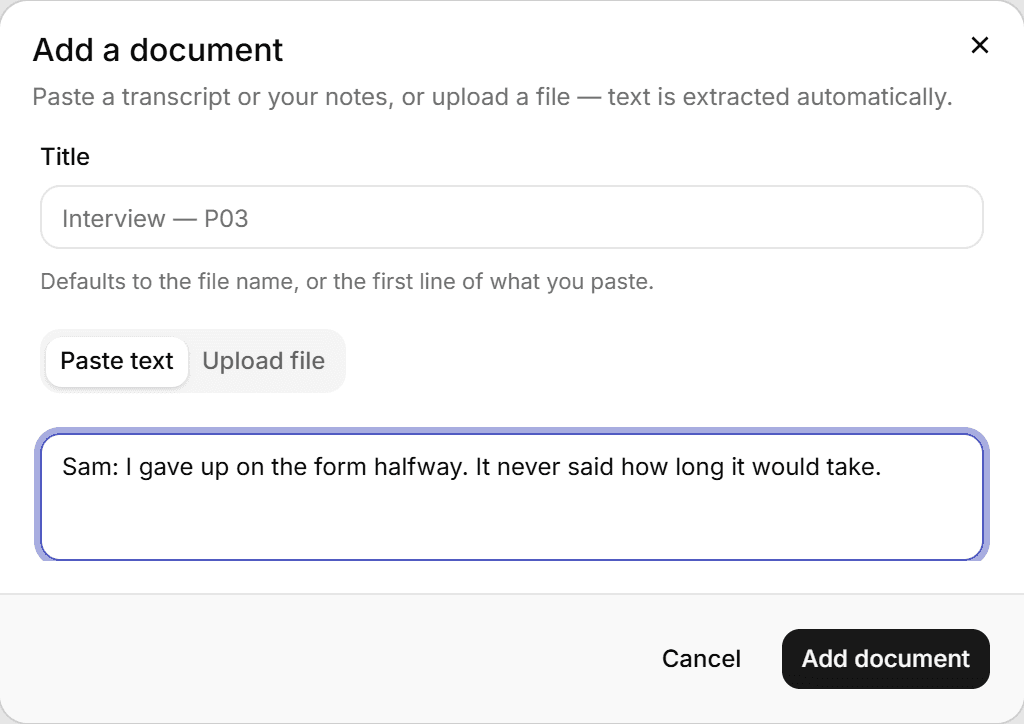
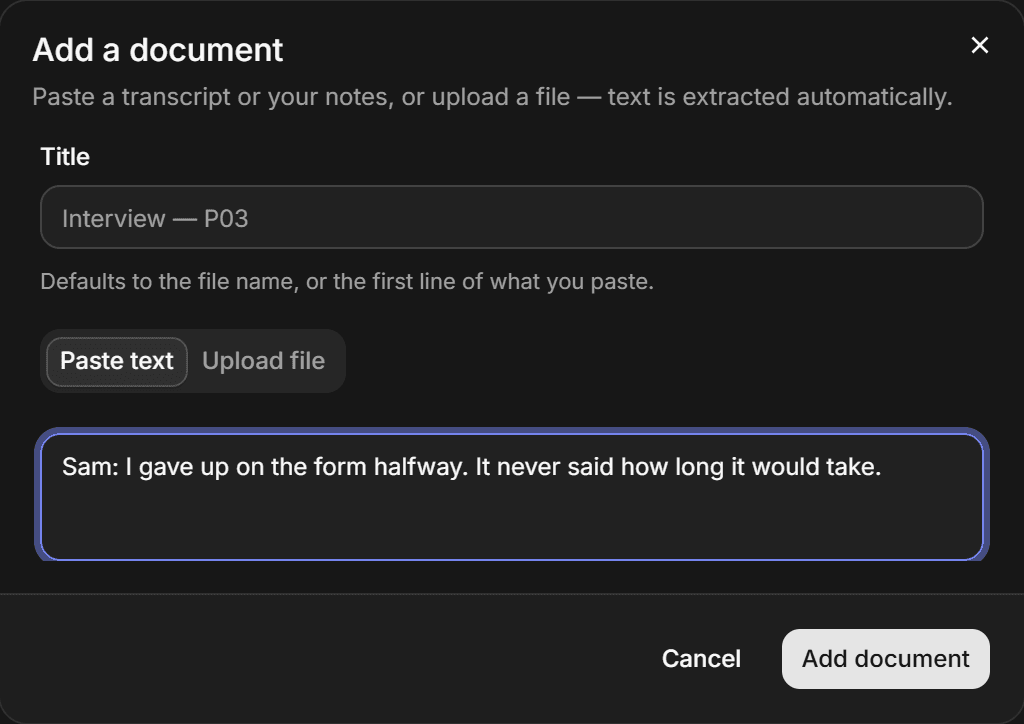
Add transcripts
Paste an interview or upload a file. The text is extracted for you.
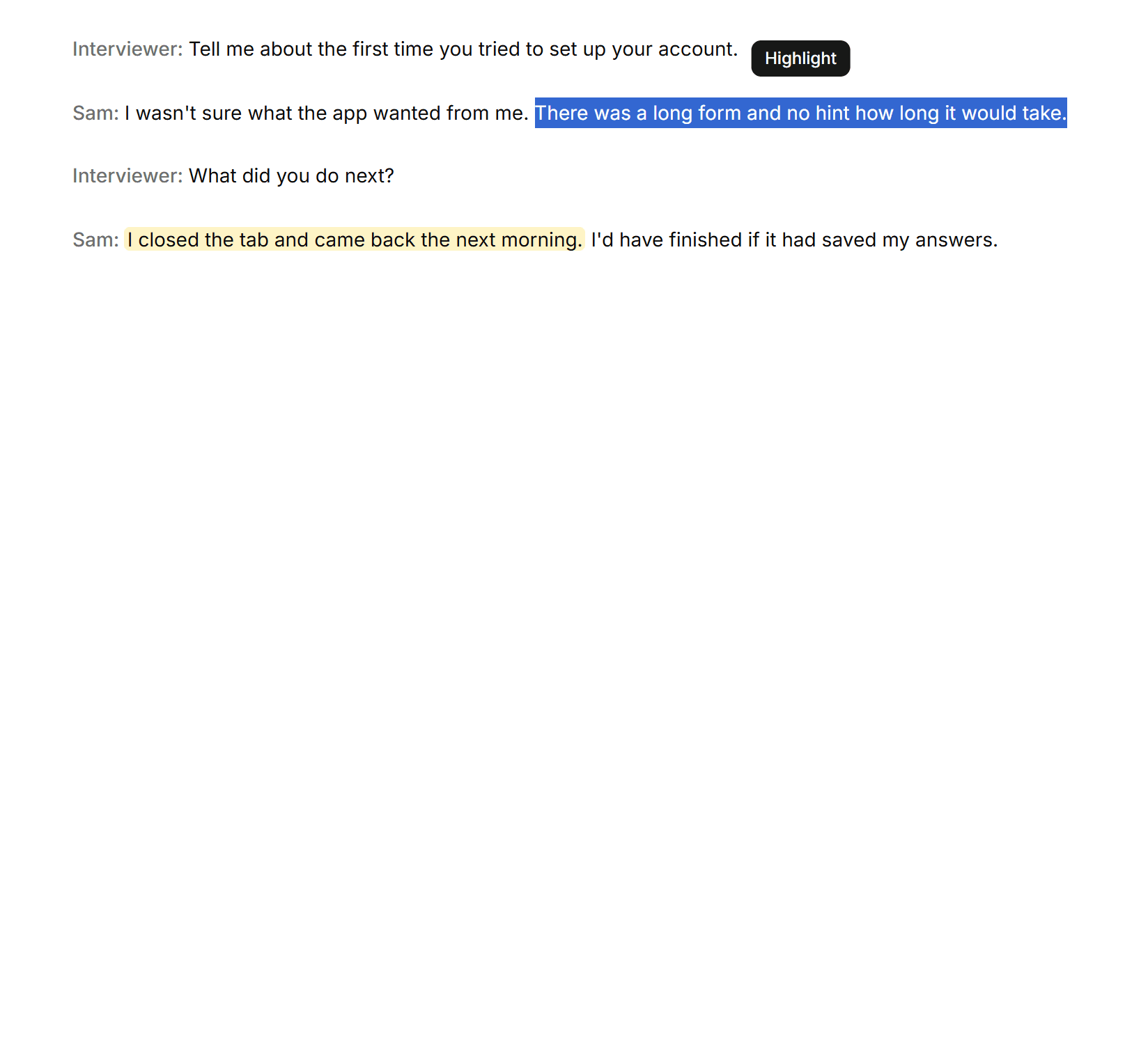
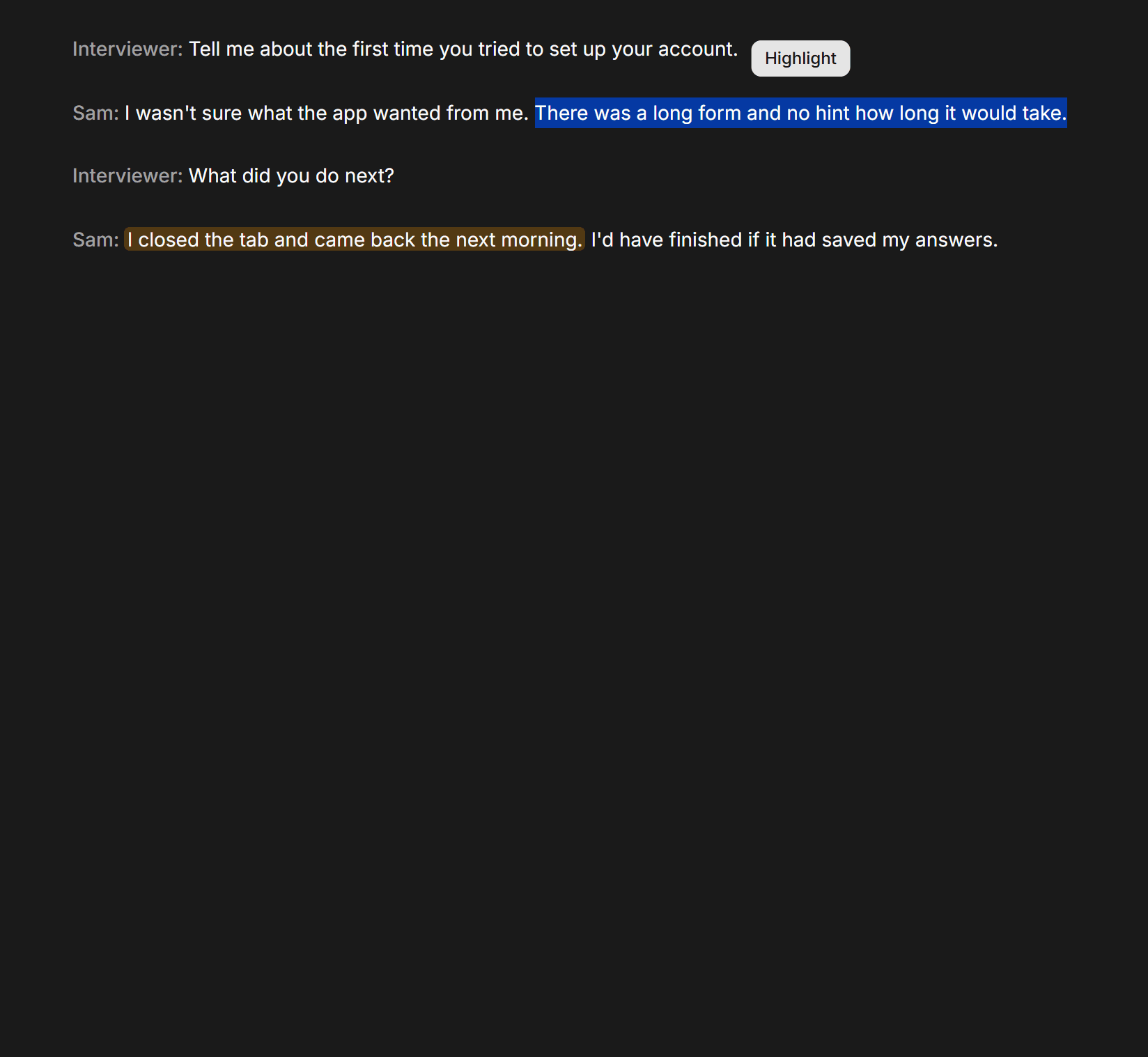
Mark the quotes
Select what a person said and highlight it, or let AI suggest the lines worth keeping.
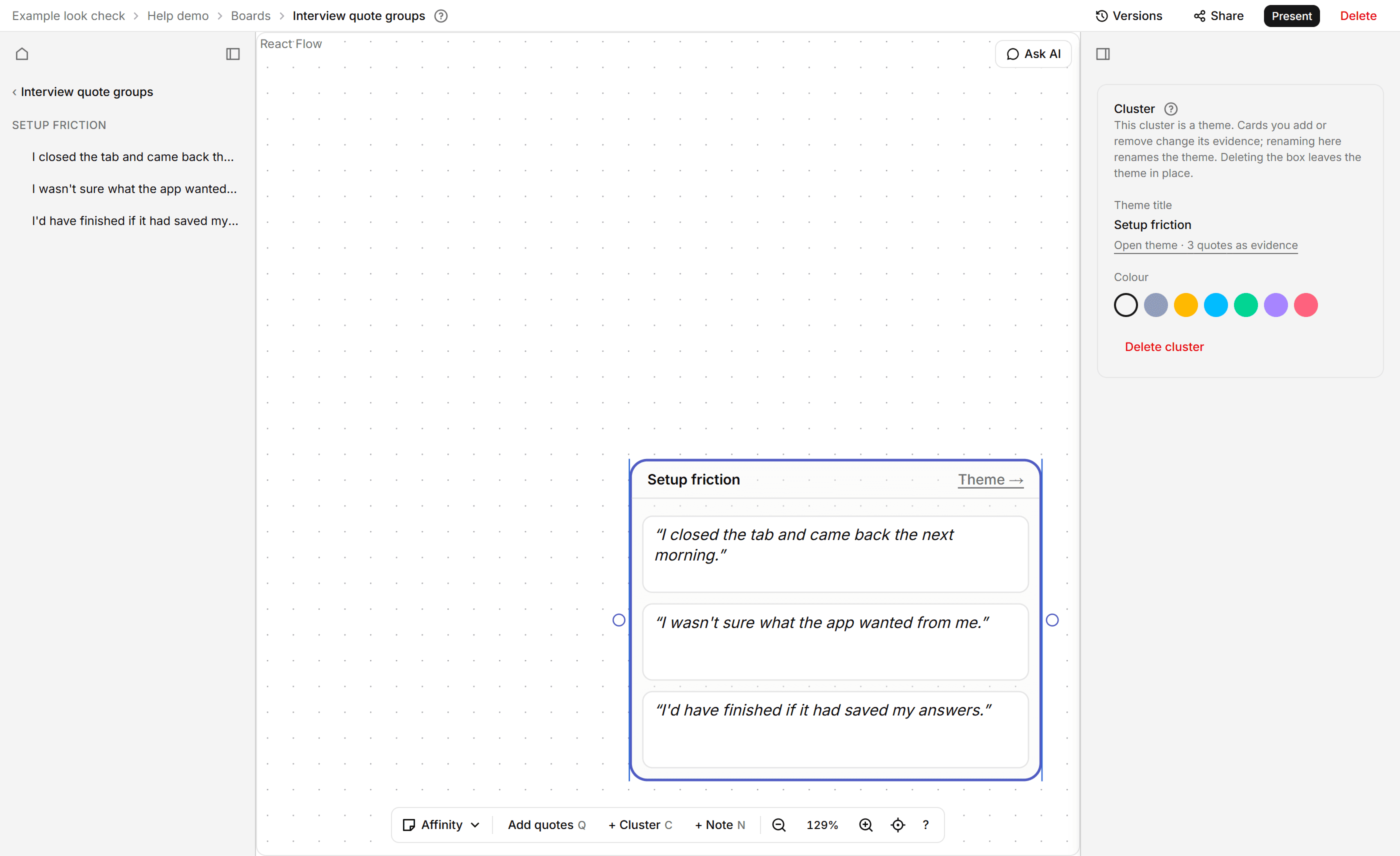
Group them into themes
Sort quotes into piles on an affinity board. A pile can be a theme, and moving a card changes its evidence.
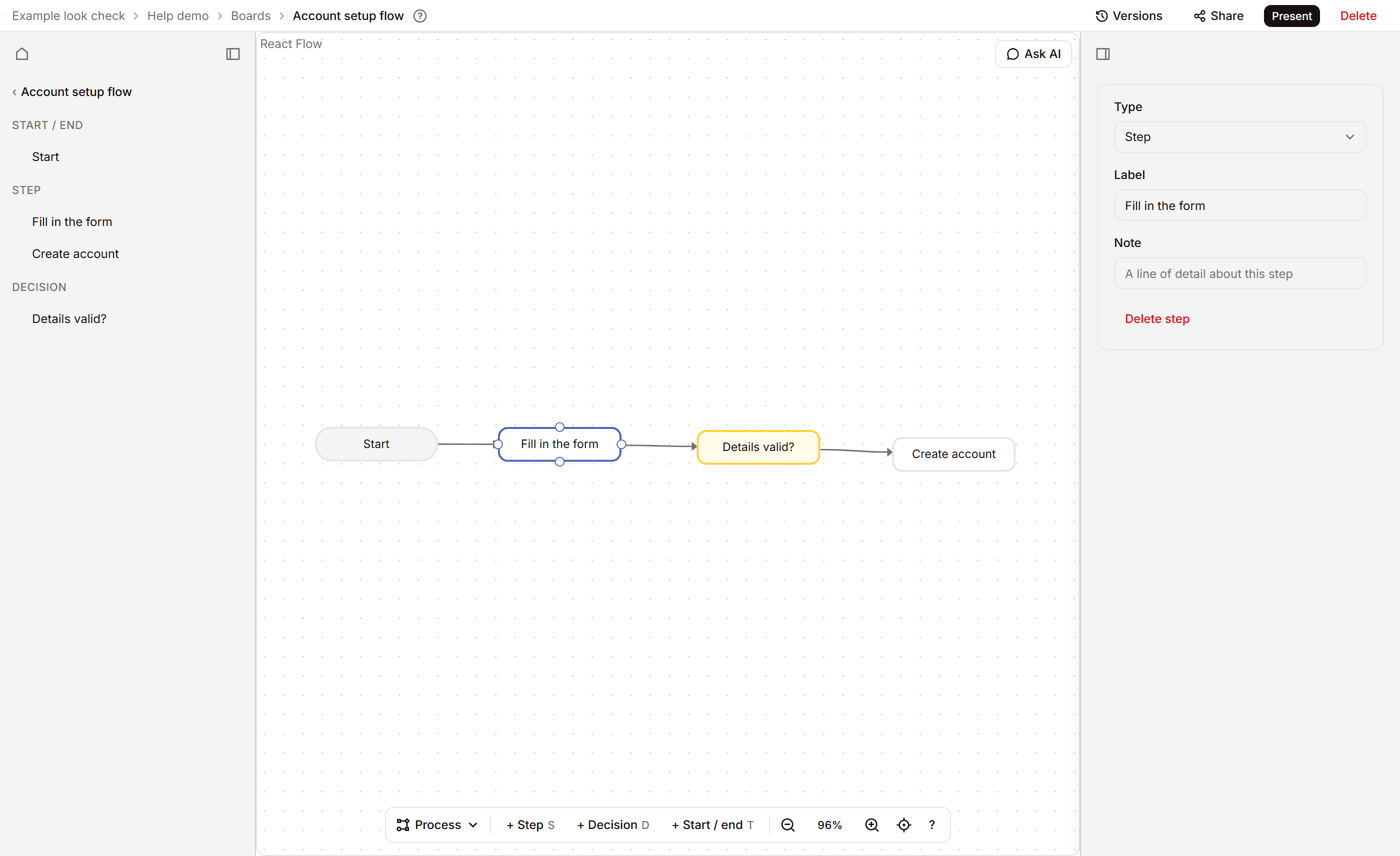
Draw the process and the screens
Map the steps on a process diagram or journey map, then draw the screens people meet.
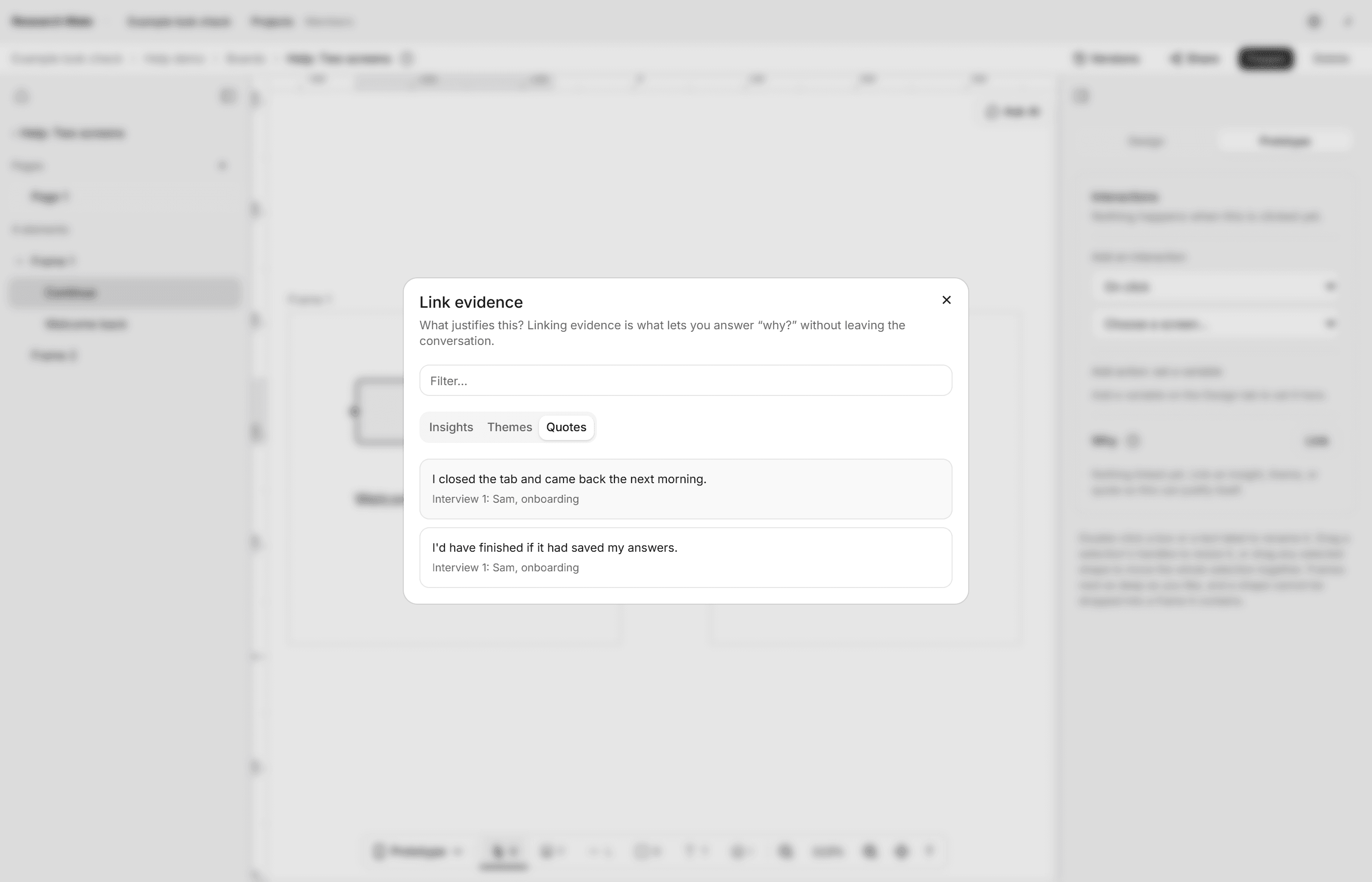
Link each screen to its evidence
Attach the quotes, themes and insights that justify a screen, so the reason stays with it.
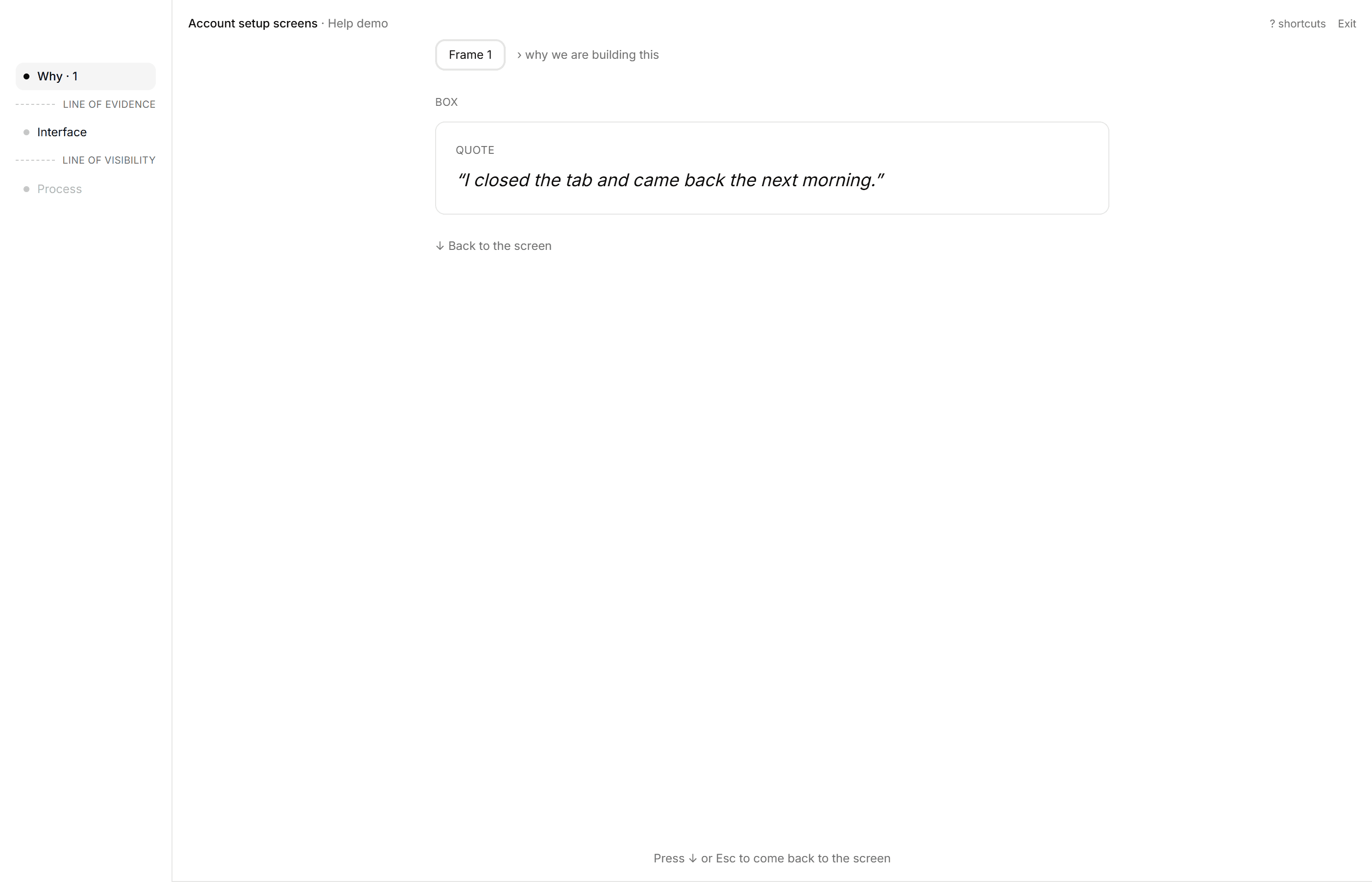
Present or share a link
Step through the screens and press up to see why. A share link needs no account to read.
Free while we build.
Research Mate is free to use while it is being built. There are no paid plans yet and no card is needed.