Add a document
You get a transcript or set of notes in your project, ready to highlight.
Add one
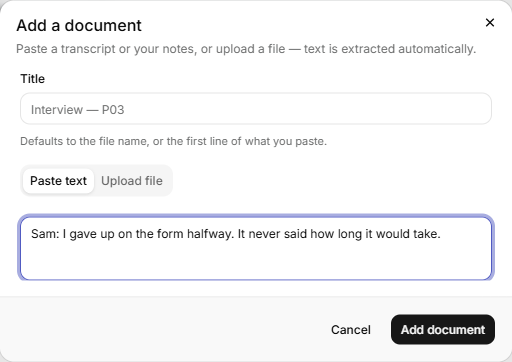
- Click New at the top right, then Document.
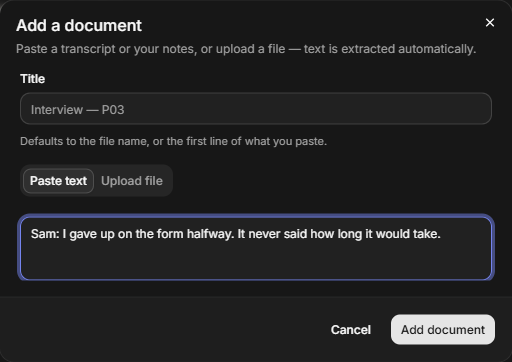
- Type a Title, or leave it blank. A blank title becomes the file name, or the first line of what you paste.
- To paste, stay on Paste text and paste into the Transcript or notes box.
- To upload, click Upload file and choose a .txt, .md, .pdf or .docx file. Research Mate pulls the text out for you.
- Click Add document.
You see "Document added." and the document appears under Documents in the tree.
Rename it any time from the tree. See Find your way around.
Speakers and turns
If a transcript has lines like Name: what they said, Research Mate reads it as turns. It accepts five label forms:
Priya: what they saidPriya (0:42): what they said, orPriya [0:42]: what they said[0:42] Priya: what they said, or0:42 Priya: what they said[0:42] what they said, a time with no namePriya 0:42on a line of its own, with two spaces or a tab between the name and the time, and the speech below it (the Otter layout)
Each turn starts with its speaker and time as muted text in the document, and the speaker also shows on the highlight's card in the inspector.
A quote is one speaker's words, so a highlight can't run across two speakers. If you try, it is cut at the end of the first turn and you see "Kept to P07's turn: a quote is one speaker's words." with that speaker's name in place of P07 (or "Kept to one turn" when the turn has no name).
A lone Name: line in a document where another speaker repeats is read as prose. Give a one-off speaker a time, or let them speak more than once.
Delete a document
- Open the document from the tree.
- In the inspector, click Delete document.
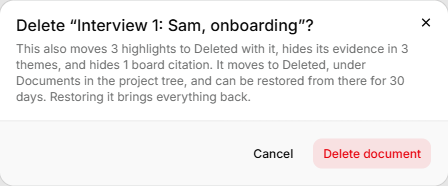
- Read the message, then click Delete document again to confirm.
Anyone in the organisation can delete a document. It moves to Deleted, under Documents in the tree, along with its highlights. They stop counting as evidence for any theme and stop showing on boards. The message counts each one.
For 30 days you can open Deleted and click Restore on the document. It comes back with its highlights, their theme evidence and their board citations. After 30 days it is removed for good.
If it doesn't work
- "Too large to upload (max 25 MB)." A file can be up to 25 MB. Split it and add it as two documents.
- "Too large to upload (max 4 MB)." Pasted text can be up to 4 MB. Split it and add it as two documents, or upload it as a file.
- "Could not read that file. It may be corrupt or password-protected." Remove any password, or paste the text instead.
- "Too many uploads. Try again in a few minutes." You can add 60 documents an hour.