Save, name and restore versions
You get a way back to an earlier state of a board, however far you have gone since. It works on every kind of board.
Only a prototype board has undo, for small steps: see Select, arrange and undo on a prototype. On the other kinds, this is how you go back.
Save a version
- Click Versions at the top right of the board, before Delete, Share and Present.
- Click Save version.
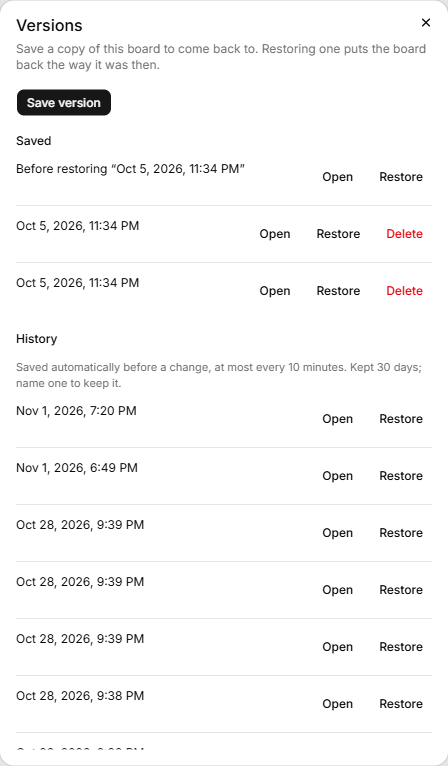
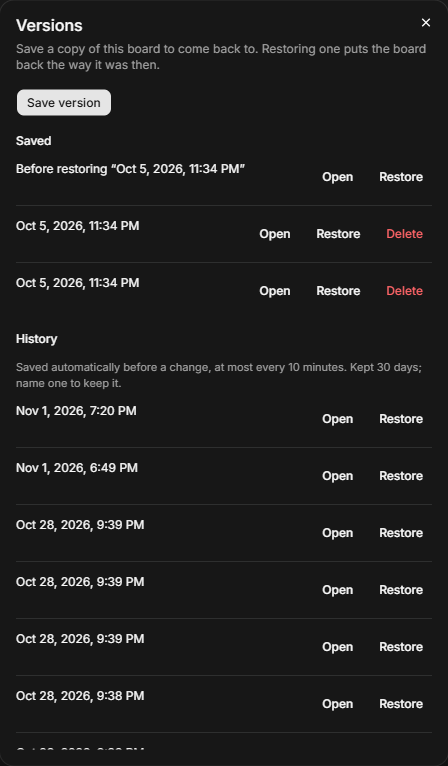
A new row appears under Saved, named with the date and time. A version holds the board's shapes, arrows and bands, and the evidence and process links on them. It doesn't hold the board's name or canvas colour.
Look inside a version
Click Open on a row to see the version on its own page, read-only, and copy shapes from it into the board: see Copy shapes out of a version.
Name a version
Double-click its name, type, and press Enter. The line underneath says who saved it, such as "Saved by you".
Restore a version
- Click Restore on the row.
- Read the message: "The board goes back to this version. What's on it now is saved as a version first." On an affinity board it adds "Themes keep their quotes."
- Click Restore this version.
The board goes back, and shapes added since are removed. The copy of what was there appears under Saved as "Before restoring" and the version's name, so you can go back again. On a prototype board a restore clears undo.
A link comes back with the version. If the theme, insight or quote it pointed at was removed for good (30 days after deleting it), the link can't. A message names it, such as "Restored. 1 link was left off because its research has been deleted: theme "Pricing"." A link to research that is in its Deleted folder comes back hidden, and the message after the restore names it. It shows again once you restore that research from Deleted.
Automatic history
History holds versions the board saved itself: "Saved automatically before a change, at most every 10 minutes. Kept 30 days; name one to keep it." Their line reads "Before a change by" and a name. Restore one like any other. Name one and it moves to Saved, and is kept. To take back a change applied from Ask AI, restore the last entry here from before it. An entry is taken at most every 10 minutes, so it may be older than the change, and restoring it also takes back anything else changed on the board since it was saved. See Change the board.
Delete a version
Click Delete on a row, then Delete this version. "This version is deleted for everyone. This can't be undone." You can delete versions you saved yourself with Save version, and an owner or admin can delete anyone's. A named History row can be deleted only by an owner or admin, even by the person who named it. Unnamed History rows and "Before restoring" copies have no Delete.
If it doesn't work
- "Too many versions saved. Try again in a few minutes." Saving and restoring share a limit of 60 per 10 minutes.
- An old version isn't in the list. Click Show older under Saved or History.